01
Design templates on a simple drag-and-drop canvas.
Create certificates or documents by placing text, images, and dynamic fields.
Drag-and-drop editor
Dynamic placeholders
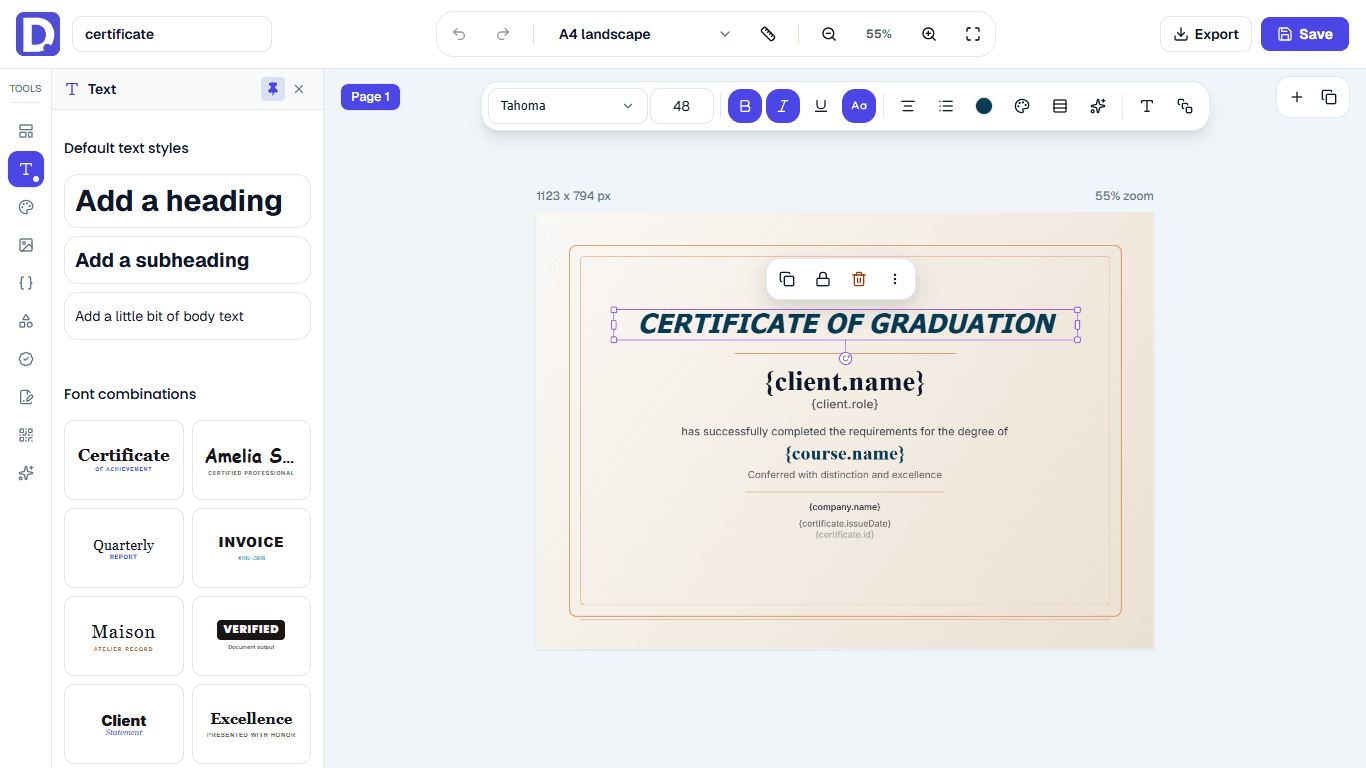
Quickly and easily create professional documents from your data, saving your time and effort. Intuitive interface and pre-designed templates, no technical skills needed to get started.
Documint already includes AI-assisted template generation, provider settings, layout normalization, and early Slack conversation plumbing.
01
Create certificates or documents by placing text, images, and dynamic fields.
02
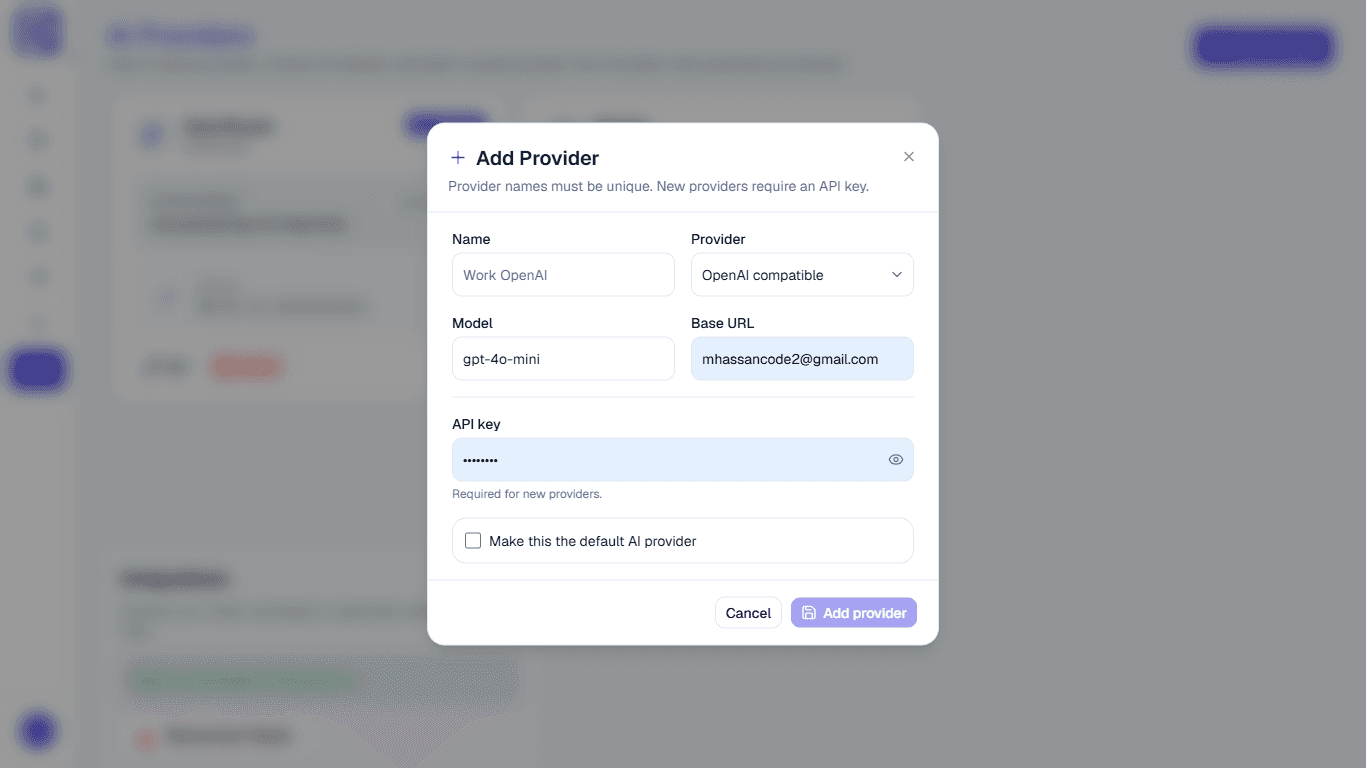
Connect and control models like OpenAI, Gemini, or Claude.
03
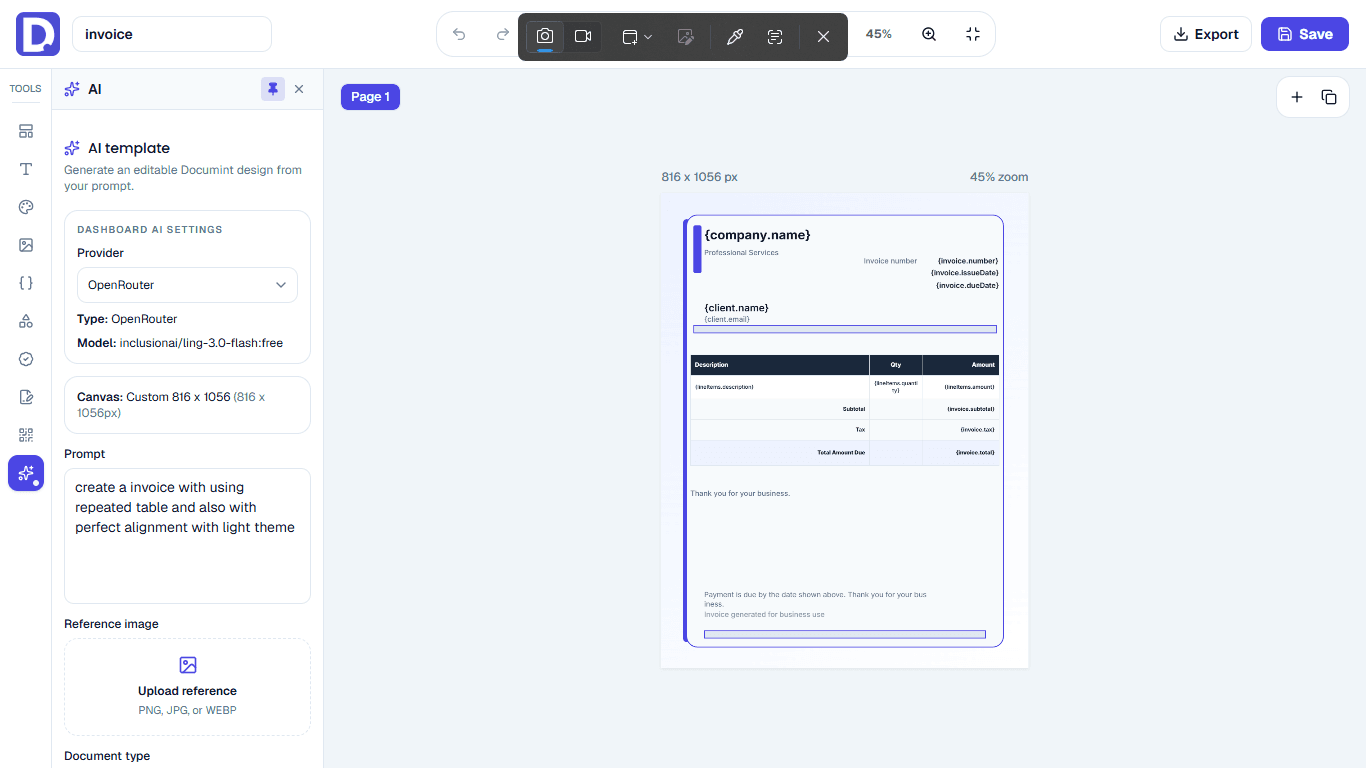
Describe what you need and get a ready-to-edit template instantly.
04
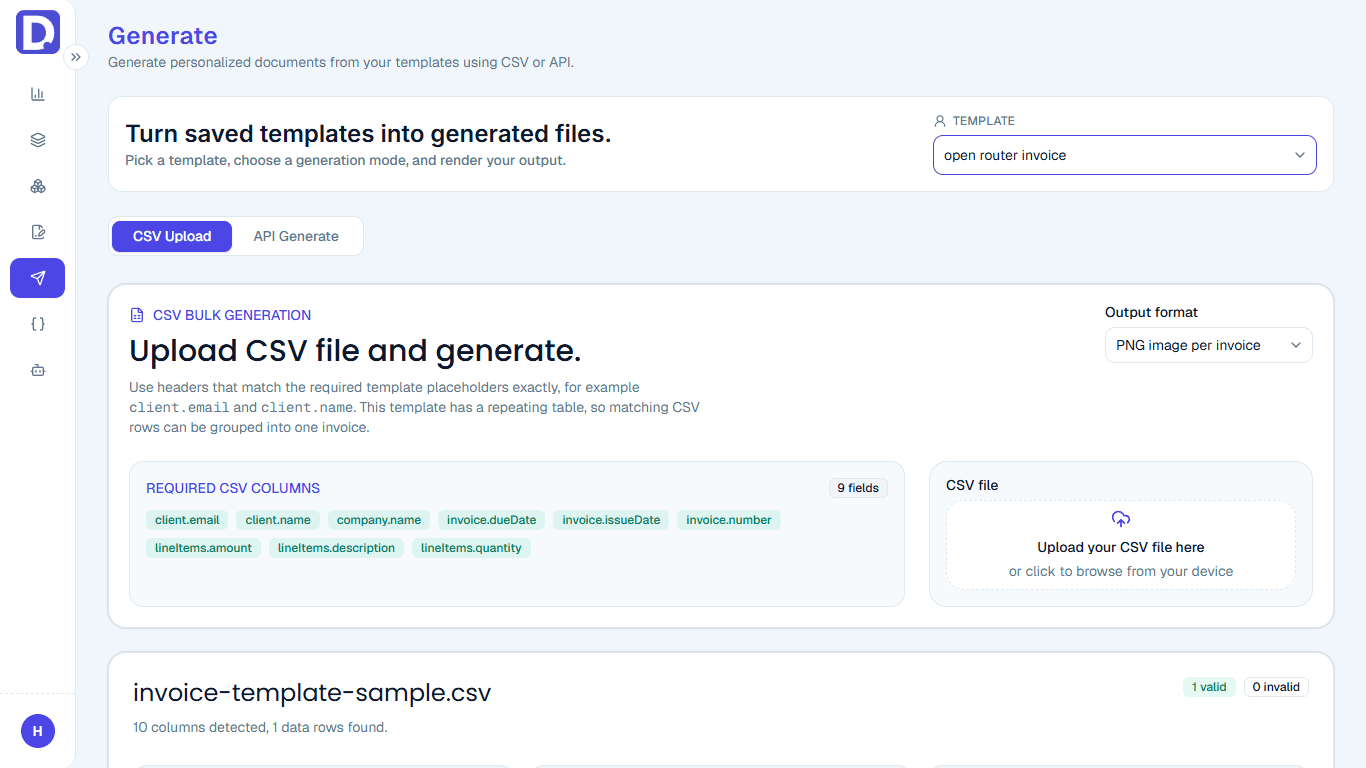
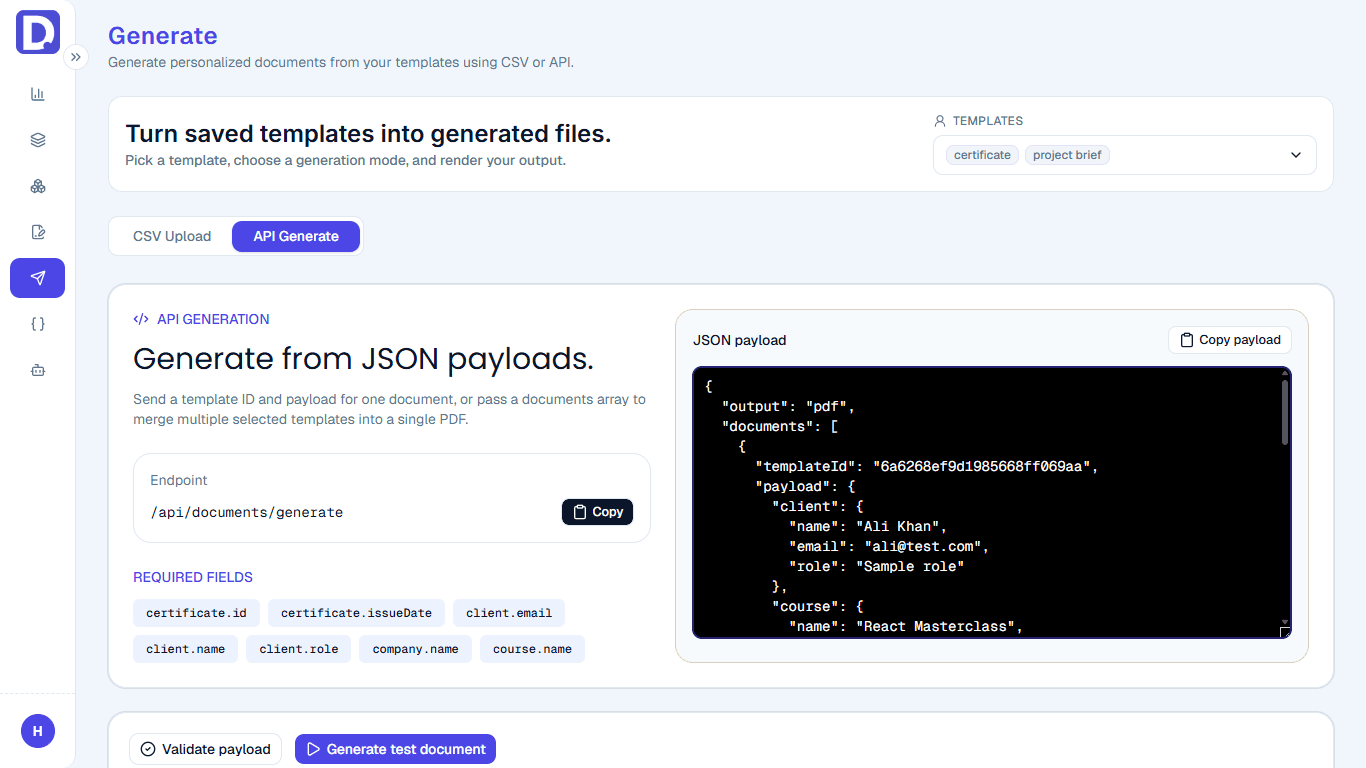
Upload CSV or send data to create personalized PDFs or images instantly.
05
Send data directly from your app and get ready-to-use documents.
06
Send requests from Slack and generate documents automatically.
07
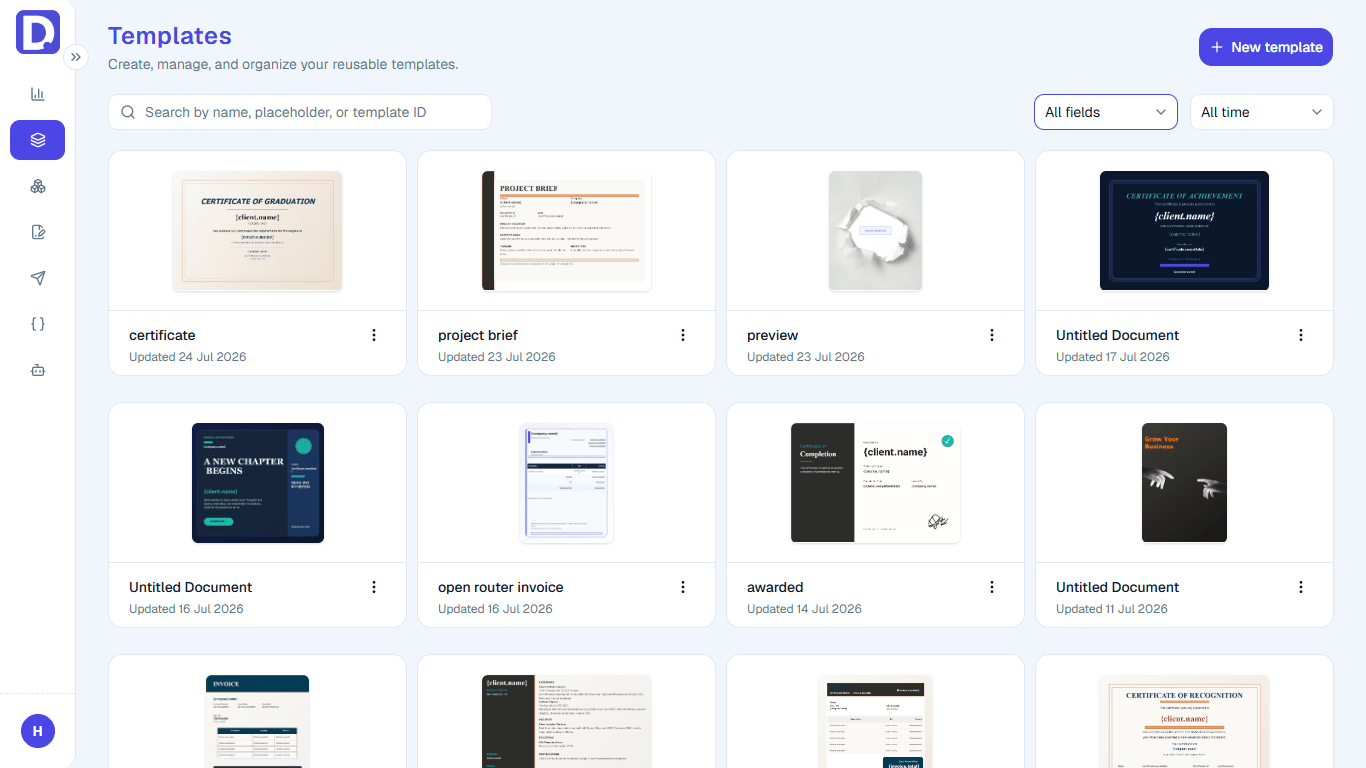
Save, organize, and reuse templates from your dashboard anytime.
08
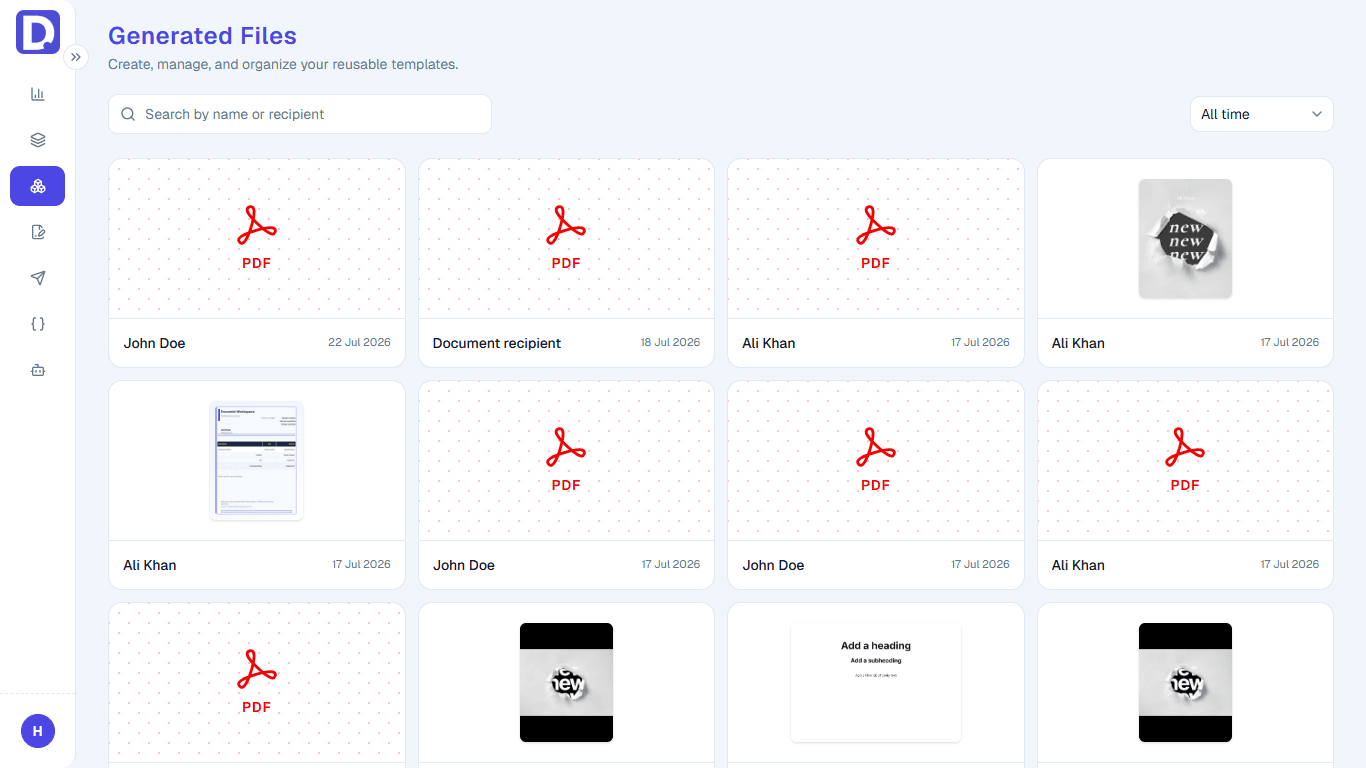
Access all generated documents with full history and details.
See which document jobs fit CSV bulk generation, API automation, e-signature workflows, or reusable template editing.
Education
Generate branded completion certificates for every learner directly from your LMS data, training spreadsheet, or course platform export. Best when you need to issue certificates for many students, trainees, or workshop attendees at once.
People operations
Create offer letters, payslips, onboarding packs, employment certificates, and internal HR documents from employee records. Best when documents should be generated from your HRIS, payroll tool, or onboarding form without manual editing.
Events
Produce print-ready attendee badges with personalized names, ticket types, company names, and scannable QR codes. Best when you have a guest list and need badges generated in bulk before the event starts.
Upload spreadsheet data, connect through the API, or combine multiple templates into a single document packet. Documint handles validation, rendering, storage, and generated-file history.
Payload validation
Catch missing fields before rendering.
Queued processing
Large generation jobs run reliably.
Generated history
Review and access previous output.
Ready-to-use URLs
Download, share, print, or embed.
Learn how templates, personalized data, bulk generation, reusable designs, and signing workflows fit together.